appointment confirmation system small business
A Bulletproof Appointment Confirmation System for Your Local Business
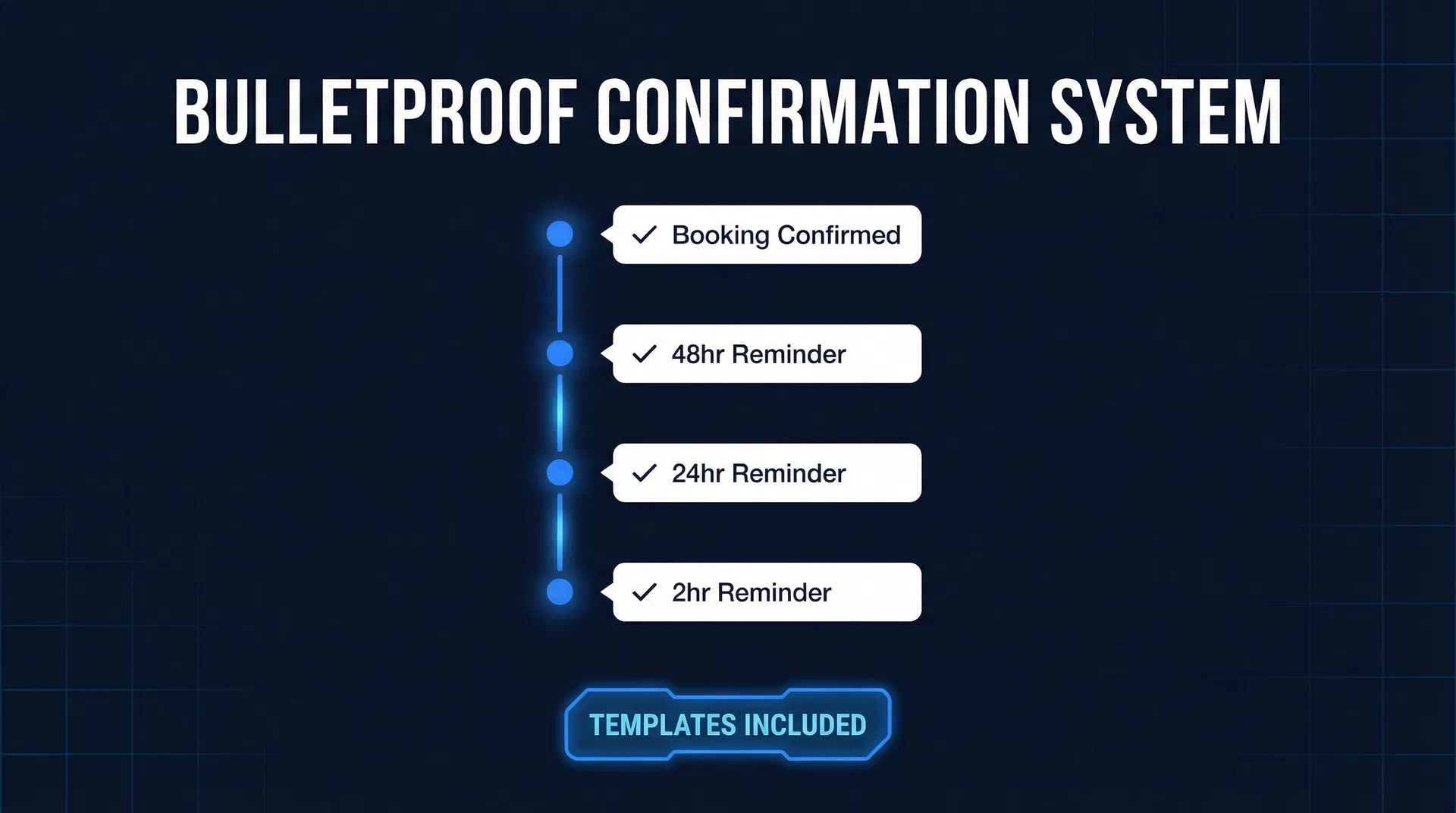
Your Business Is Losing Money to No-Shows. Here's How to Fix It.
Every time a client is a no-show, your business loses more than just the service fee. You've lost the revenue from that appointment, paid your staff to wait for a client who never arrived, and wasted a slot that another paying customer could have taken. For a busy HVAC company in Phoenix, a single missed diagnostic call, which could be worth $500 in repairs, is a direct hit to the day's revenue. An effective appointment confirmation system for a small business isn't just a nice-to-have; it's a critical defense for your bottom line.
This guide provides a complete, step-by-step blueprint for building that system. It's not about sending a single reminder; it's about creating a structured, automated sequence that makes it almost impossible for clients to forget their commitment. By implementing these six components, you can expect to cut your no-show rate by 30-50%, reclaim thousands in lost revenue, and ensure your schedule stays packed.
Component 1: The Instant Booking Confirmation
The moment a client books an appointment is the moment your confirmation system must begin. The initial booking confirmation sets the professional tone and immediately reinforces the client's decision. This is especially crucial for appointments booked online, which industry data from sources like Zocdoc shows can have no-show rates up to 20% higher than those booked directly with a person.
A powerful booking confirmation achieves five critical goals:
- Confirms Details: Clearly states the what, when, and where.
- Sets Expectations: Tells the client how to prepare (e.g., "For your chiropractic adjustment, please wear comfortable clothing").
- Communicates Policy: Clearly outlines your cancellation and no-show policy.
- Simplifies Rescheduling: Provides a one-click link or number to call.
- Builds Anticipation: Reinforces the value of the upcoming service.
Here’s a template that gets it right:
Template: Strong Booking Confirmation (Email)
Subject: Confirmed: Your [Service Name] Appointment on [Date] at [Time]
Hi [First Name],
Your appointment is officially on the books. We look forward to seeing you.
Service: [Service Name] Date: [Day, Month Date] Time: [Time] [Timezone] Location: [Your Business Address] / [Video Call Link] With: [Staff Member Name]
How to Prepare: To ensure you get the most from your visit, please [bring previous X-rays, fill out this new patient form, avoid eating 2 hours prior, etc.].
Your Time is Valuable—So Is Ours: We require 24 hours' notice for any rescheduling. No-shows and cancellations inside this window are subject to a $[X] fee. You can manage your appointment using the link below.
Need to make a change? [Click here to reschedule instantly] or call our office at [Phone Number].
See you soon, [Your Business Name]
Component 2: The 48-Hour & 24-Hour Confirmation Sequence
The 48 and 24-hour marks are your system's most powerful levers. A reminder at 48 hours gives the client a practical window to reschedule, while the 24-hour message is designed to secure a firm "YES" confirmation. That confirmation is a psychological tripwire; getting a client to type "YES" creates a micro-commitment that makes them feel accountable.
For example, a roofing contractor in Florida sends a 24-hour text for a $250 roof inspection appointment. When the homeowner replies "YES," they are no longer passively waiting; they have actively confirmed they will be home. This simple act dramatically increases the likelihood they will be there when the inspector arrives.
Template: 48-Hour Reminder (SMS & Email)
(SMS): Hi [First Name], a reminder of your appointment with [Your Business Name] on [Day] at [Time]. Please reply YES to confirm or call us to reschedule. Thanks!
(Email Subject): Reminder: Your appointment with [Your Business Name] is in 2 days. (Email Body): Hi [First Name], this is a friendly reminder of your upcoming appointment for [Service Name] on [Date] at [Time]. If you need to make changes, please do so more than 24 hours in advance to avoid a cancellation fee. [Link to Reschedule].
Template: 24-Hour Confirmation Request (SMS - If Not Yet Confirmed)
Your appointment with [Your Business Name] is TOMORROW at [Time]. Please reply YES to confirm your spot. To reschedule, call us at [Phone Number]. We look forward to seeing you!
Component 3: The 2-Hour "Final Check" Reminder
This is your final safety net, designed to catch anyone who has slipped through the cracks. This reminder should only be sent to clients who have not confirmed via the 48 or 24-hour messages. Sending it to a confirmed client can feel like nagging.
The tone here is helpful and assumes the client is coming. For a home service business, this is where you can create a powerful sense of social obligation.
Template: 2-Hour Reminder (SMS - Unconfirmed Only)
Hi [First Name], see you in 2 hours for your [Service Name] appointment at [Time]! We're at [Address]. Call [Phone] if you have any questions.
Actionable Step for Home Services:
Instead of a generic reminder, use a "technician en route" message. In GoHighLevel, you can create a template and have your technician trigger it from the mobile app when they head to the job.
Hi [Client Name], this is [Technician Name] from [Your Business Name]. I'm on my way to your home at [Address] for your [Service] appointment and expect to arrive around [Time]. My direct line is [Technician Phone].
This makes the appointment about a real person, not an abstract company, making a last-minute cancellation much less likely.
Component 4: The Non-Response Protocol
An appointment confirmation system for a small business is incomplete without a clear protocol for silence. If a client hasn't confirmed by the morning of their appointment, you must assume they are not coming and act accordingly.
For high-value appointments, the best approach is a manual phone call. A 2-minute call from your front desk has a much higher success rate than any automated message. For a med spa, a $700 CoolSculpting session absolutely warrants a personal call. The script is simple:
"Hi [First Name], this is [Staff Name] from [Your Business Name] calling to confirm your [Service] appointment today at [Time]. Are you still able to make it?"
This direct question forces a clear answer and converts a likely no-show into either a confirmed appointment or an open slot you can now fill from your waitlist. For lower-value appointments, an automated text is sufficient.
Template: Morning of Non-Response Follow-Up (SMS)
Good morning, [First Name]. We haven't received confirmation for your [Time] appointment today. To keep your spot, please call our office at [Phone Number] by [Time - e.g., 10 AM]. Otherwise, we will open the slot to our waitlist.
This creates urgency and a clear consequence, motivating the client to respond immediately.
Component 5: The Post-Appointment Follow-Up
Your system's job isn't over when the client walks out the door. A follow-up message sent a few hours after the appointment does three things: it shows you care, it opens the door for feedback, and it provides the perfect opportunity to book the next appointment.
Clients who rebook before leaving or shortly after their service have a significantly higher show rate for their next appointment. The value of your service is fresh in their minds.
Template: Post-Appointment Rebooking (SMS)
Thanks for coming in today, [First Name]! We hope you enjoyed your [Service]. To keep up your results, your next visit should be in [X weeks/months]. Would you like to book that now? [Link to Booking Calendar]
Implementing Your Bulletproof System in GoHighLevel
Building this entire appointment confirmation system for a small business is straightforward using the Automation Workflows in GoHighLevel. You can create a single workflow that triggers when an appointment is booked and adds each of these messages as a step with the appropriate time delay.
Using "If/Else" conditions, you can check if a client has replied "YES" and automatically stop them from receiving further confirmation requests. For non-responses, you can create a task for your front desk to make that crucial manual phone call. You can even integrate with Stripe to automatically charge a no-show fee if a client fails to appear without notice.
While you can build the full sequence, you can start with a "Minimum Viable System":
- Booking Confirmation Email: Sets the stage.
- 24-Hour SMS Reminder: Gets the "YES" confirmation.
- 2-Hour SMS Reminder (for unconfirmed): The final safety net.
This simple three-step workflow, which can be configured in less than 30 minutes, will already capture the majority of potential no-shows. You can calculate the direct financial impact by using our free No-Show Cost Calculator.
Ready to stop losing money to no-shows? You can try GoHighLevel's entire suite of automation tools, including the workflow builder, with a free 14-day trial. It provides everything you need to build this system and protect your revenue.
Affiliate Disclosure: I am an independent HighLevel Affiliate, not an employee. I receive referral payments from HighLevel. The opinions expressed here are my own and are not official statements of HighLevel LLC.
Related Articles
Appointment No-Show Rates: Your Business's Silent Killer (and How to Stop It)
Stop losing revenue to appointment no-shows. This guide reveals the true cost, root causes, and a powerful 3-tier automated system to reduce your appointment no-show rates.
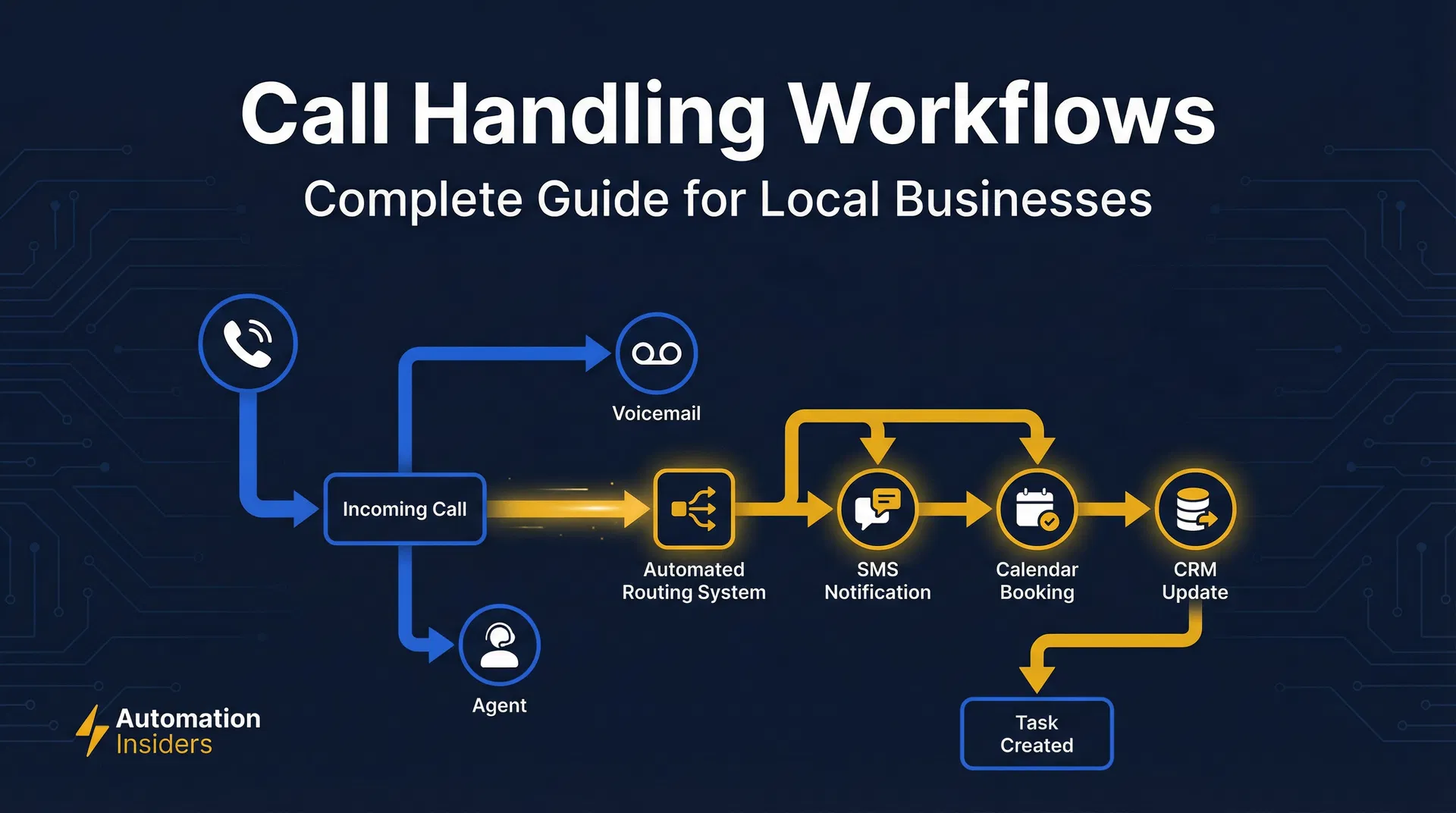
Stop Losing Business: Master Call Handling for Your Home Service Company
Stop losing leads. Master call handling for home services with our guide for HVAC, plumbing, & roofing. Learn to fix missed calls & boost your bottom line with GoHighLevel.
Your Phone is Ringing. Are Your GoHighLevel Call Workflows Ready?
Master GoHighLevel call workflows to capture every lead, automate follow-ups, and boost efficiency for your local service business. Optimize routing, recording, and analytics.